

Build Preparation & Technical Requirements
Your build is the foundation of everything. It’s not just about having a working game — you need builds optimized for each platform you’re submitting to. Steam, Epic, console platforms, and mobile stores all have different technical specifications.
What you need to verify:
- Build tested on the actual platform (not just your dev environment)
- Performance benchmarks met — framerate stable, memory usage acceptable
- Resolution support for all target devices (1080p minimum for console, responsive for mobile)
- Controller/input support tested thoroughly if required by the platform
- Build size optimized (uncompressed, then compressed for delivery)
- No debug tools or console commands accessible to players
One thing people overlook: platform-specific SDKs. If you’re submitting to PlayStation, you’ll need the official SDK. Xbox has its own. Steam Deck requires specific validation. Don’t assume your PC build will just work on console — it won’t. You’re typically looking at 2-4 weeks of optimization per platform if you haven’t built with them in mind from the start.
Metadata & Store Assets
This is where most rejections happen. Not because the metadata’s wrong, but because it’s incomplete or doesn’t match platform requirements. Every store has different image dimensions, character limits, and content guidelines.
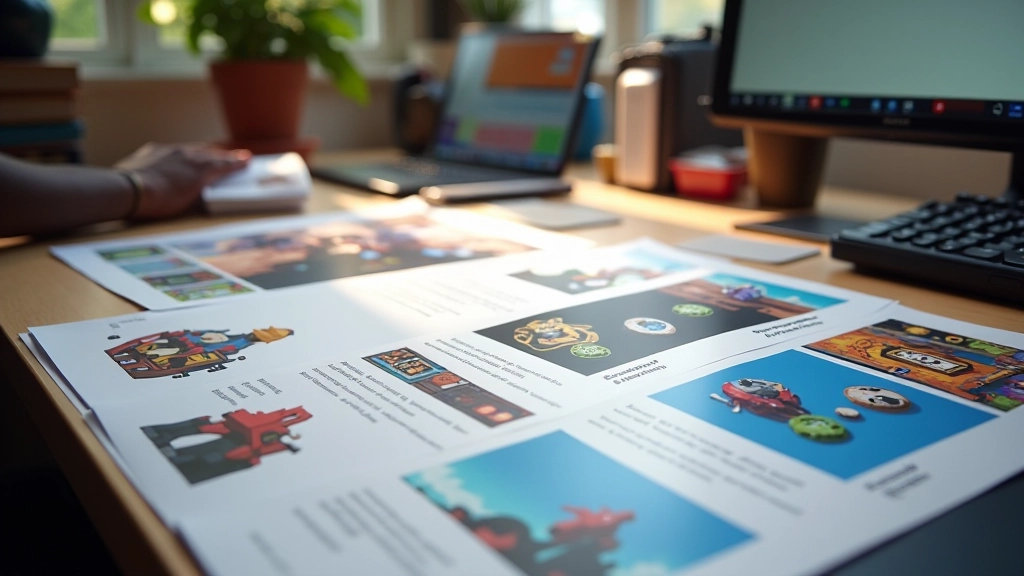
You’ll need high-quality screenshots — 8 to 10 per platform. They should show actual gameplay, not menus or cutscenes. Include captions on 2-3 of them so people understand what they’re looking at. The main store art (hero image) needs to work at multiple sizes and on both light and dark backgrounds. Sounds obvious, but we’ve seen plenty of games rejected because the key art was unreadable when scaled down.
Content Ratings & Age Classification
Different regions have different rating systems, and you can’t avoid them. ESRB for North America, PEGI for Europe, USK for Germany, ClassInd for Brazil — they all exist and they all matter. Your game needs to be rated before you can launch on most storefronts.
The good news? You can usually self-rate through the platform’s questionnaire. Answer honestly about violence, language, adult content, and gambling mechanics. If you’re unsure, lean conservative — it’s easier to get reclassified down than to have your game pulled for misrepresentation.
Be aware: some games don’t qualify for certain platforms. If you’ve got M-rated content (mature themes, violence, language), you’re not getting on Nintendo eShop. If there’s gambling with real-money mechanics, that’s a whole different regulatory landscape. Know your game’s content and plan accordingly.


Legal & Compliance Documentation
Here’s what most indie devs underestimate: the legal stuff isn’t optional, and it’s not generic. Your privacy policy can’t just be copy-pasted from another game. You need to document what data your game collects, where it goes, and how you’re protecting it.
Third-party assets need documentation too. If you’re using licensed music, sound effects, or art, you need proof of the license. Open-source code requires attribution. Middleware tools like Wwise or PlayFab need their own setup and compliance verification. Each store will ask about this during submission.
We recommend creating a legal package: privacy policy, terms of service, and a document listing all third-party licenses. Keep it updated as you add features or dependencies. It takes maybe 4-6 hours to put together properly, and it prevents headaches during review.
Common Submission Mistakes
We’ve reviewed hundreds of submissions. Most rejections come from preventable issues. Here’s what actually trips people up:
Mismatched Build Versions
You submit the wrong build version or the build doesn’t match your submitted code. Stores verify this — they’ll catch it.
Incomplete Screenshots
Using placeholder art, menus instead of gameplay, or images that don’t represent the final product. Make them count — these are your first impression.
Missing Localizations
Submitting in English only when the store requires multiple languages. Check your target markets first.
Vague Descriptions
Generic text that could describe any game. Reviewers skip these, and so do customers. Be specific about what makes your game different.
Moving Forward
Submission doesn’t have to be stressful. You’re not dealing with unpredictable reviewers — you’re following clear technical requirements and guidelines. The stores want your game to succeed. They want players to find it and have a good experience. That’s how everyone wins.
Start with the checklist. Go through it methodically. If something’s unclear, check the store’s documentation or reach out to their support team — they’ll help. Give yourself at least 2-3 weeks before your target launch date. Account for revision cycles. Most games don’t get accepted on the first try, and that’s normal.
You’ve built something. You’ve tested it. Now you’re just making sure it’s presentable. You’ve got this.
Ready to explore more about your publishing journey?
Browse All Publishing GuidesDisclaimer
This guide provides educational information about game submission processes and best practices. Store requirements, platform policies, and regional regulations change frequently and vary significantly. Always consult the official documentation from each digital storefront you’re submitting to, and verify all requirements directly with their support teams. The information presented here reflects general industry standards as of May 2026 and shouldn’t replace official platform guidelines. Each platform has unique submission requirements and approval criteria that may differ from what’s described here.